
Inventory: Mass Actions For Items / Products in Lifelong POS – Print Labels #
1. Let’s learn how to change multiple products with mass actions on the Point Of Sale register . Follow the step-by-step instructions below.
2. Navigate to https://login.lifelongpos.com/ on any web browser.

3. On the left hand side of the page click the tab “Items”

4. Lets start off by searching for a product name. Click the “Search” field at the top right of the page.

5. For our example we typed in RAZ LTX in the search bar.
Make sure to hit enter or the magnifying glass to bring up your results.

6. Click on “All” to select all items, or choose one or more individual items to update.

7. Now each item should be selected to update a mass action.
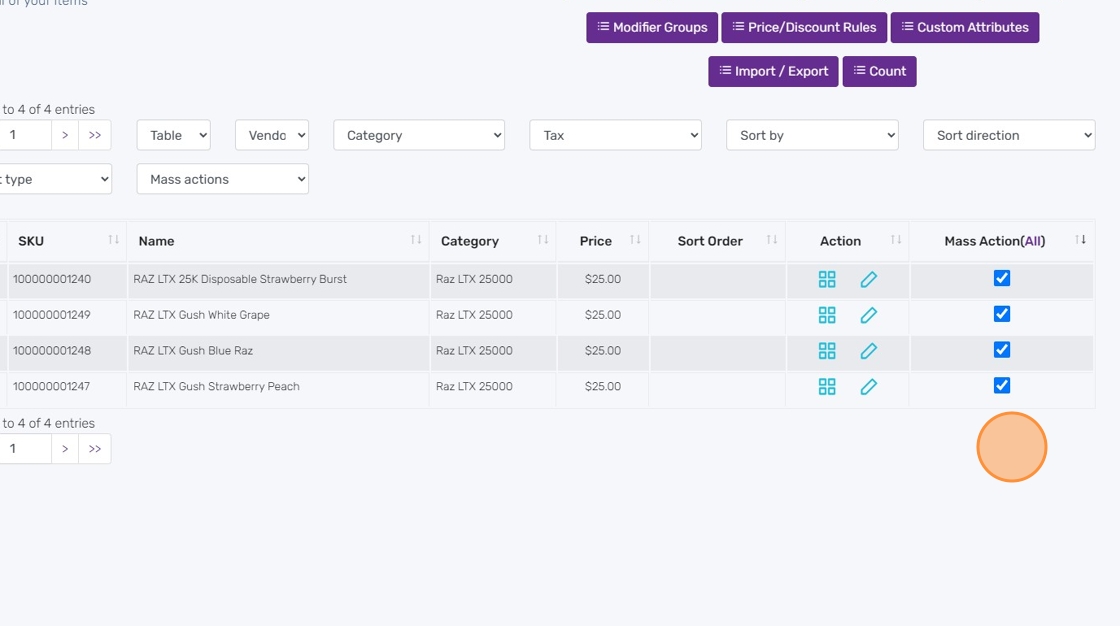
8. Click the Mass Actions dropdown.
Here we are selecting Print Labels as an example.
(*Note, you must have a label printer already setup to use this mass action)

9. Since we have 5 products selected in mass actions, this will now print 5 labels.
(1 of each product.)
Click the OK button to print.

10. Now all of the products you selected have been sent to your label printer for printing.
11. Other Available Mass Actions:
-
Print Labels / Click Here for instructions
-
Print Labels (2x) / Click Here for instructions
-
Print Custom Labels / Click Here for instructions
-
Update Vendor Information / Click Here for instructions
-
Update Tax Class / Click Here for instructions
-
Update Category / Click Here for instructions
-
Update Product Price / Click Here for instructions
-
Update Price to Cost + Markup / Click Here for instructions
-
Update Product Name / Click Here for instructions
-
Update Product Name & Price by percentage / Click Here for instructions
-
Update Product Cost / Click Here for instructions
-
Update Low Stock Quantity / Click Here for instructions
-
Update Low Stock Quantity by Location / Click Here for instructions
-
Update Product Quantity / Click Here for instructions
-
Update Mod Groups / Click Here for instructions
-
Add Tier Pricing / Click Here for instructions
-
Delete Tier Pricing / Click Here for instructions
-
Quick Update / Click Here for instructionss
-
Clone Item / Click Here for instructions
-
Delete Item / Click Here for instructions


