Backend – Reports (Lifelong OS) #
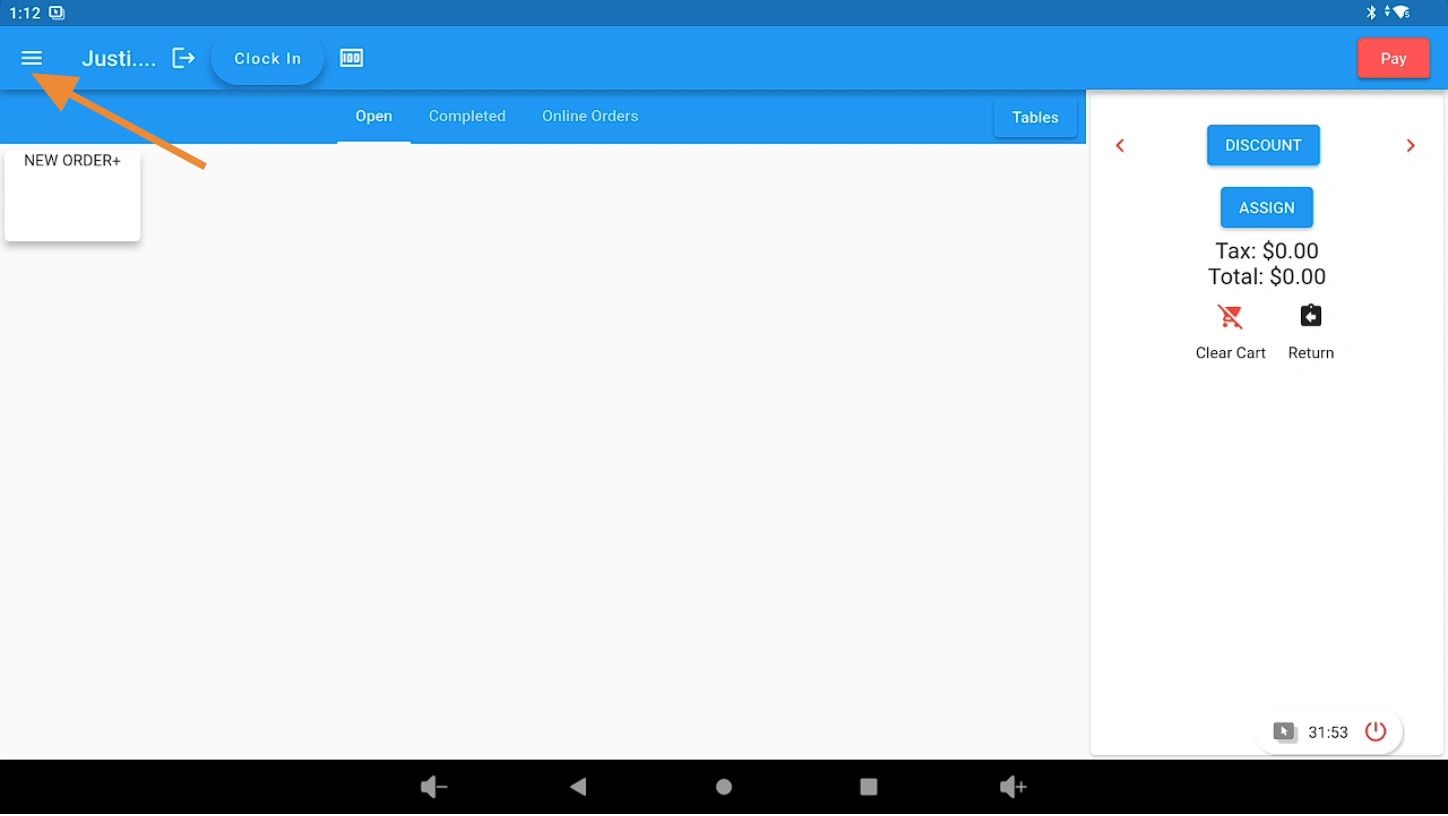
Open the 3 Bar Menu in Lifelong OS #
Open Lifelong OS and click on the “3 Bar Menu” button.
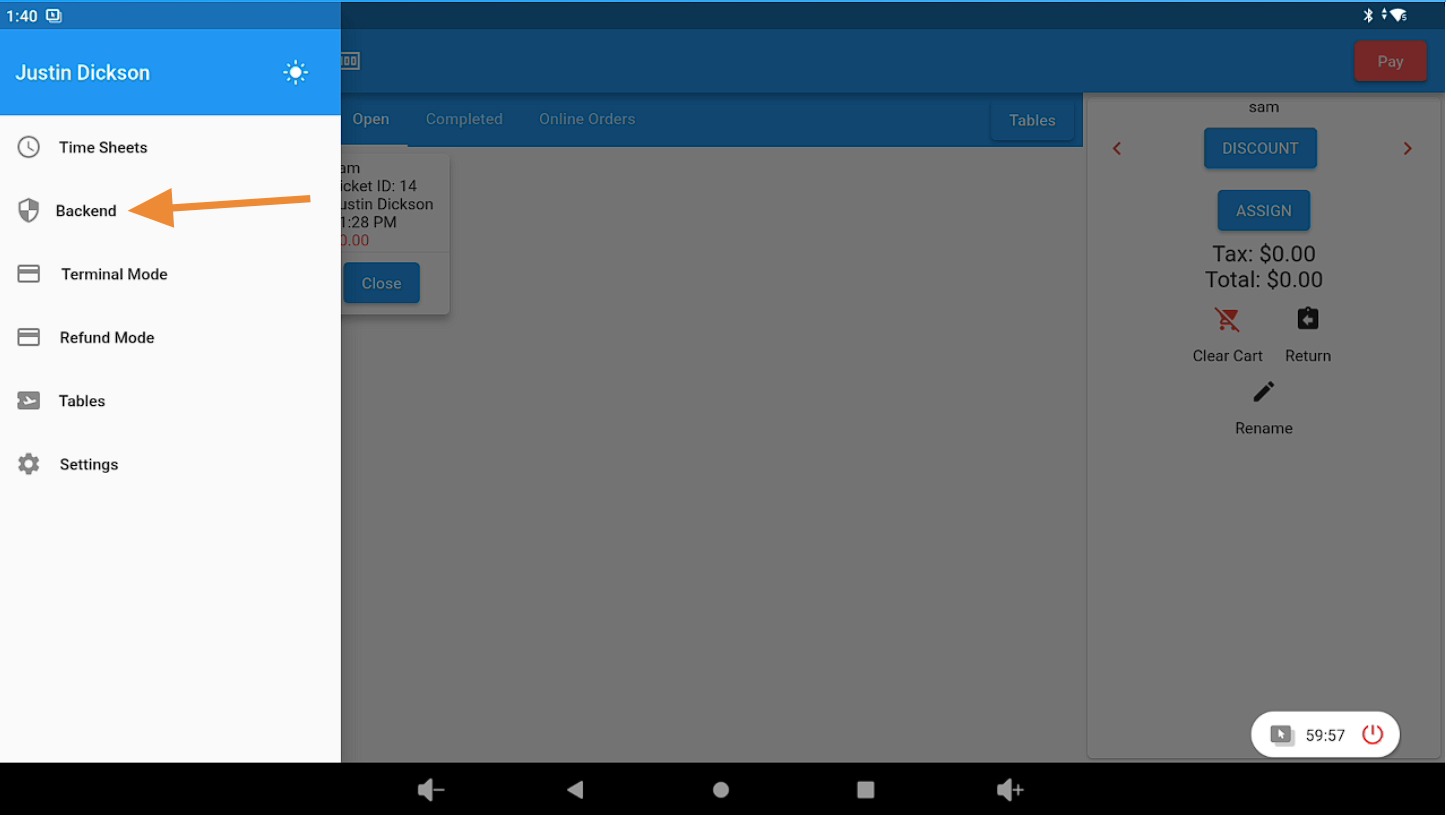
Open the Backend Tab #
Click on the “Backend” tab.
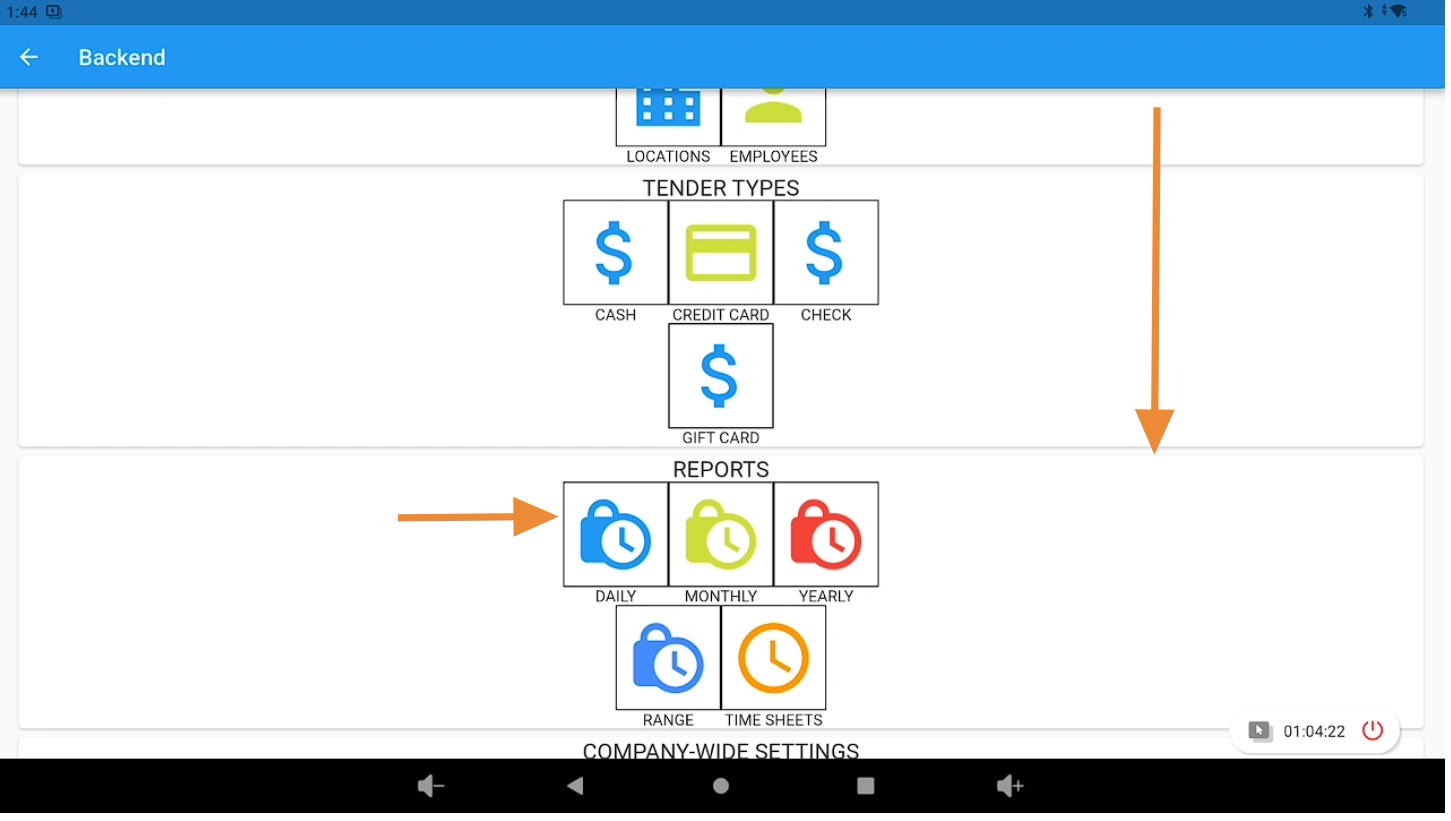
Locate the Reports Section #
Scroll down the page until you see the “Reports” section.
For this example, click the “Monthly” button.
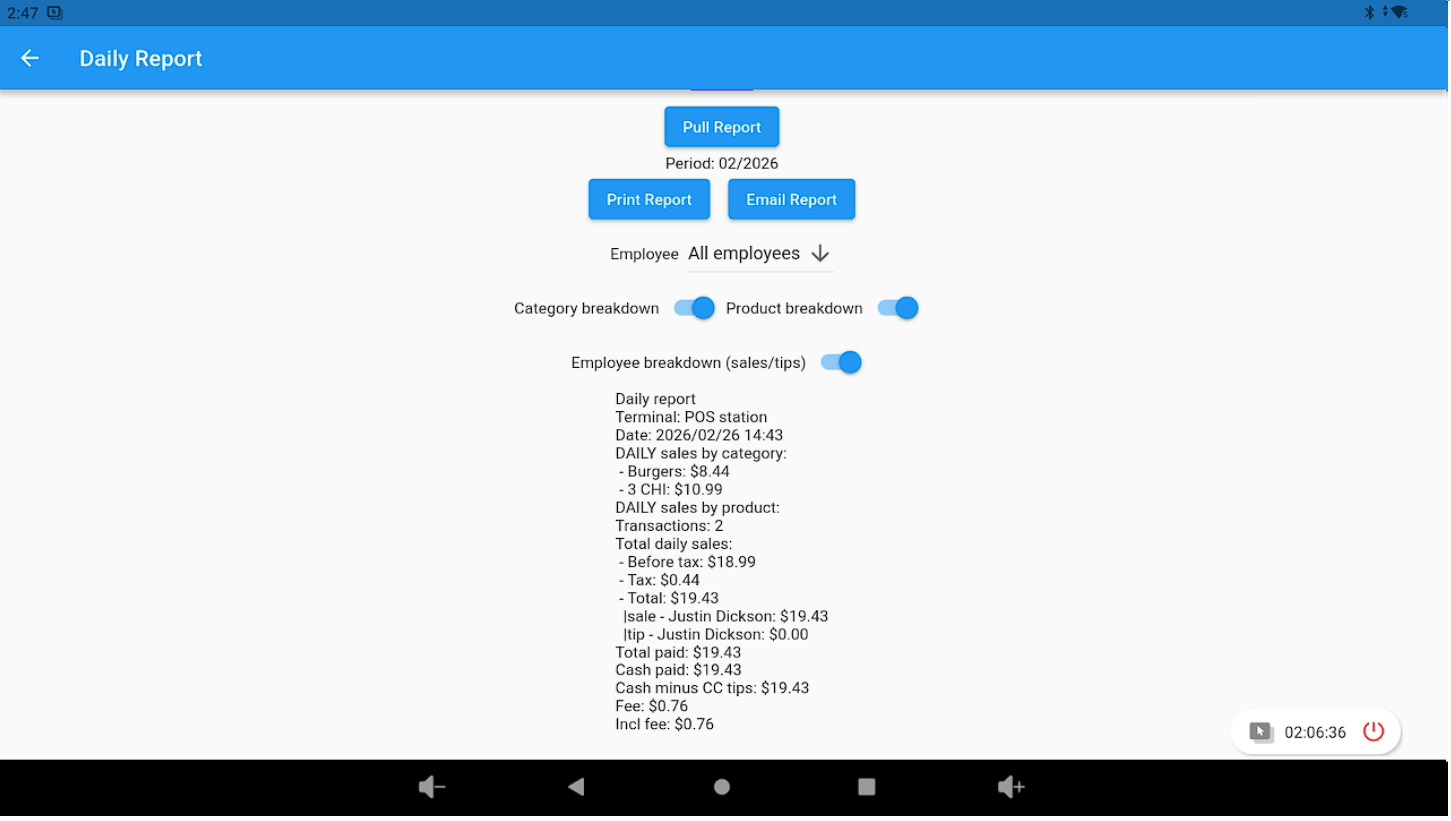
Select Report Criteria and Pull the Report #
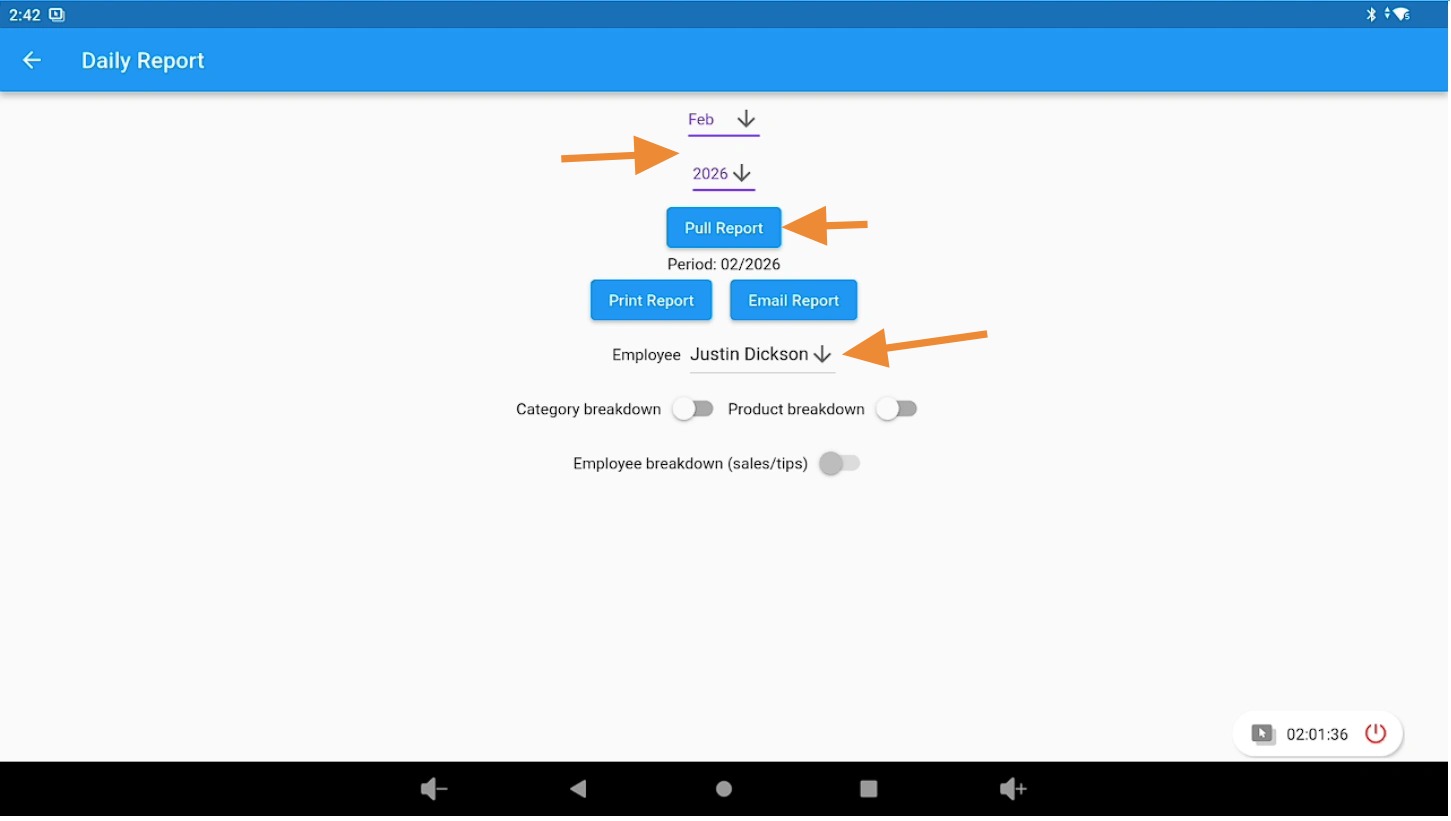
Select the date and choose an Employee or All Employees.
- Click the “Pull Report” button.
- (Optional) Choose a Category Breakdown, Product Breakdown, or Employee Breakdown.
- (Optional) Print or Email the report.
View the Report Breakdown #
You will now see a breakdown report based on the selected criteria.