
How to Refund Without A Receipt (Lifelong OS) #
Open the Main Menu #
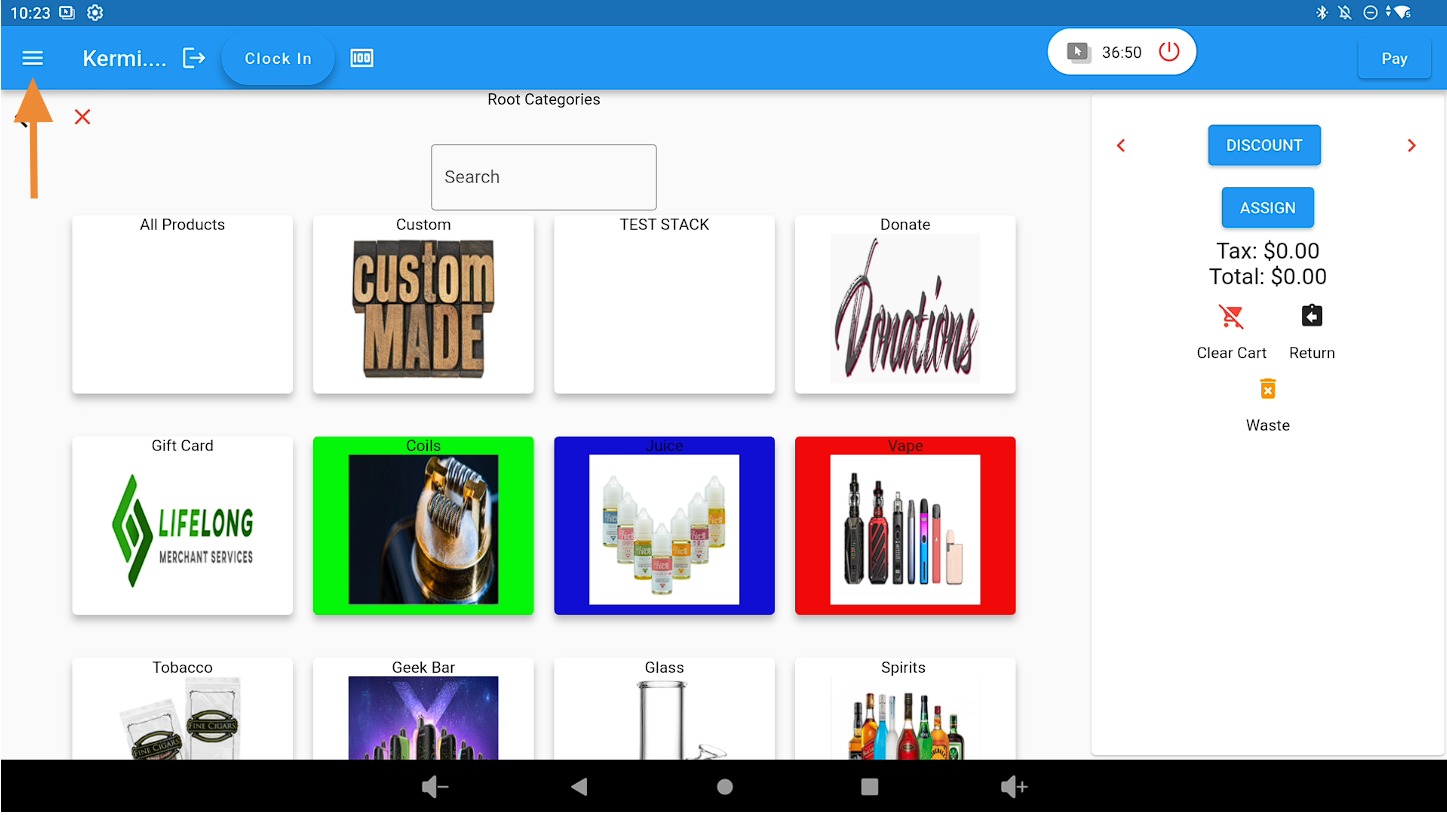
Click the three-line menu icon in the top-left corner of the POS screen.
Select Refund Mode #
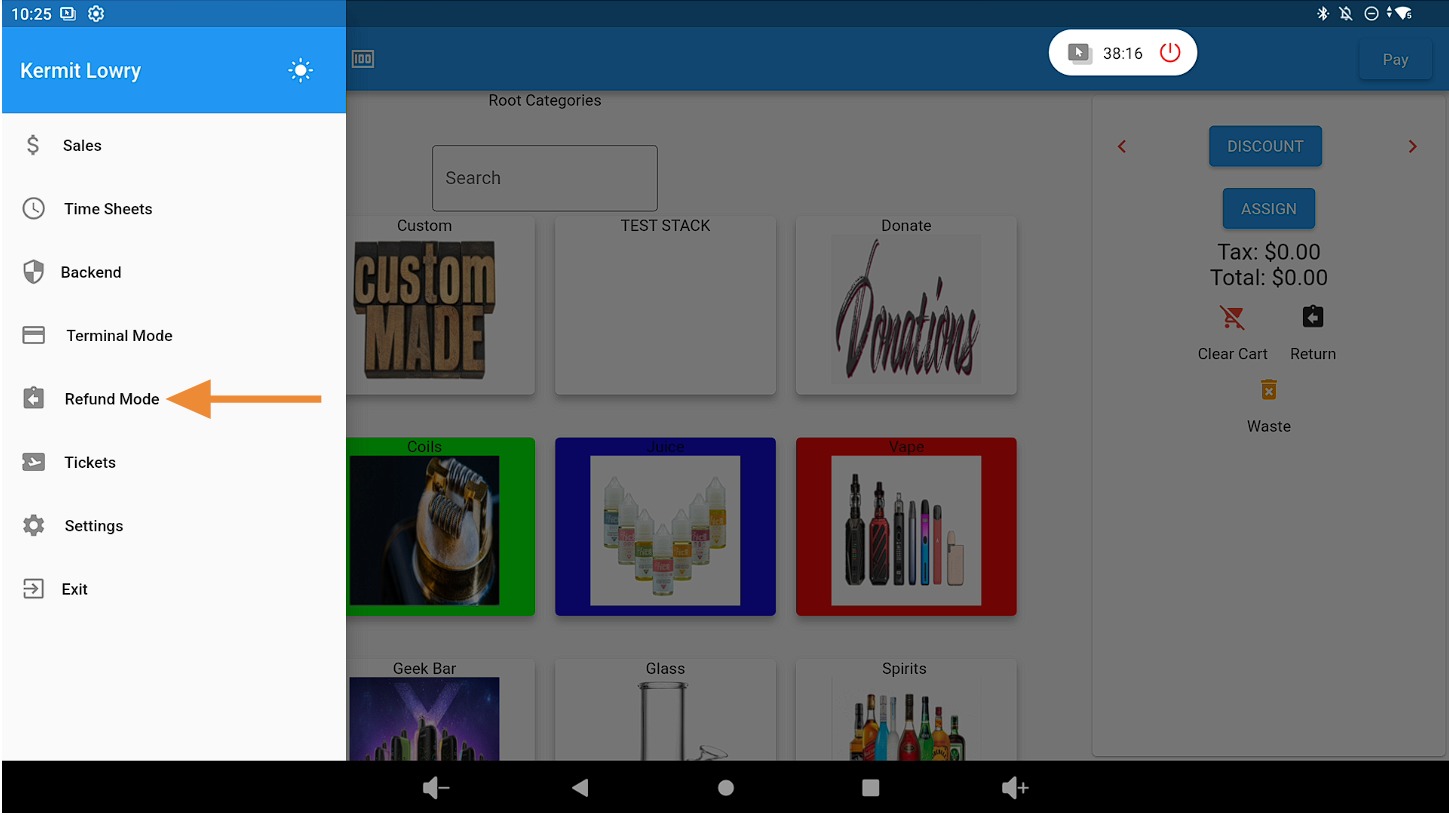
Click on the Refund Mode tab.
Add the Returned Product to the Cart #
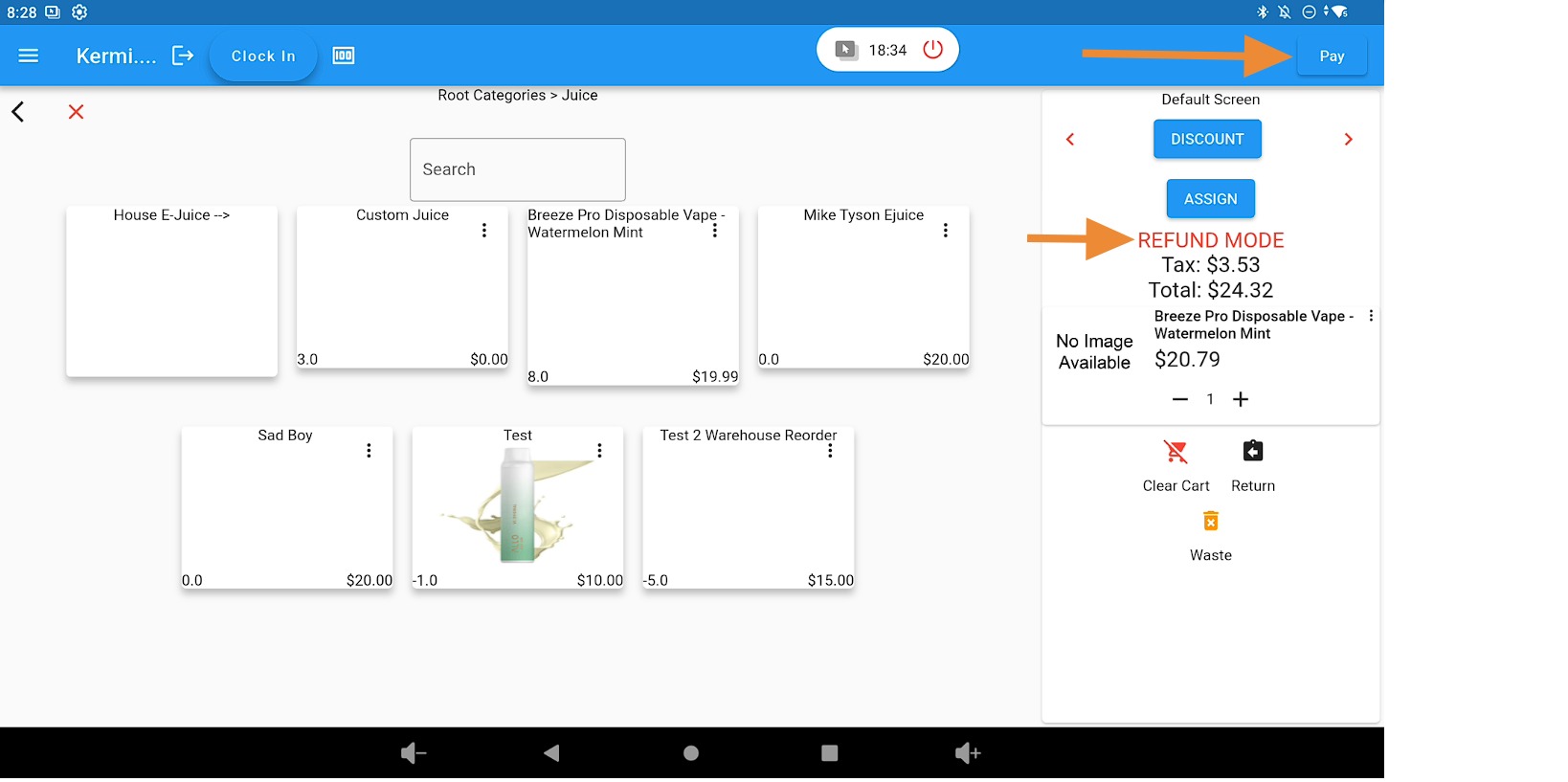
Add the product the customer is returning to the cart. Confirm the cart displays “Refund Mode” in bold red text.
Click the PAY button in the top-right corner of the screen.
Process the Refund Payment #
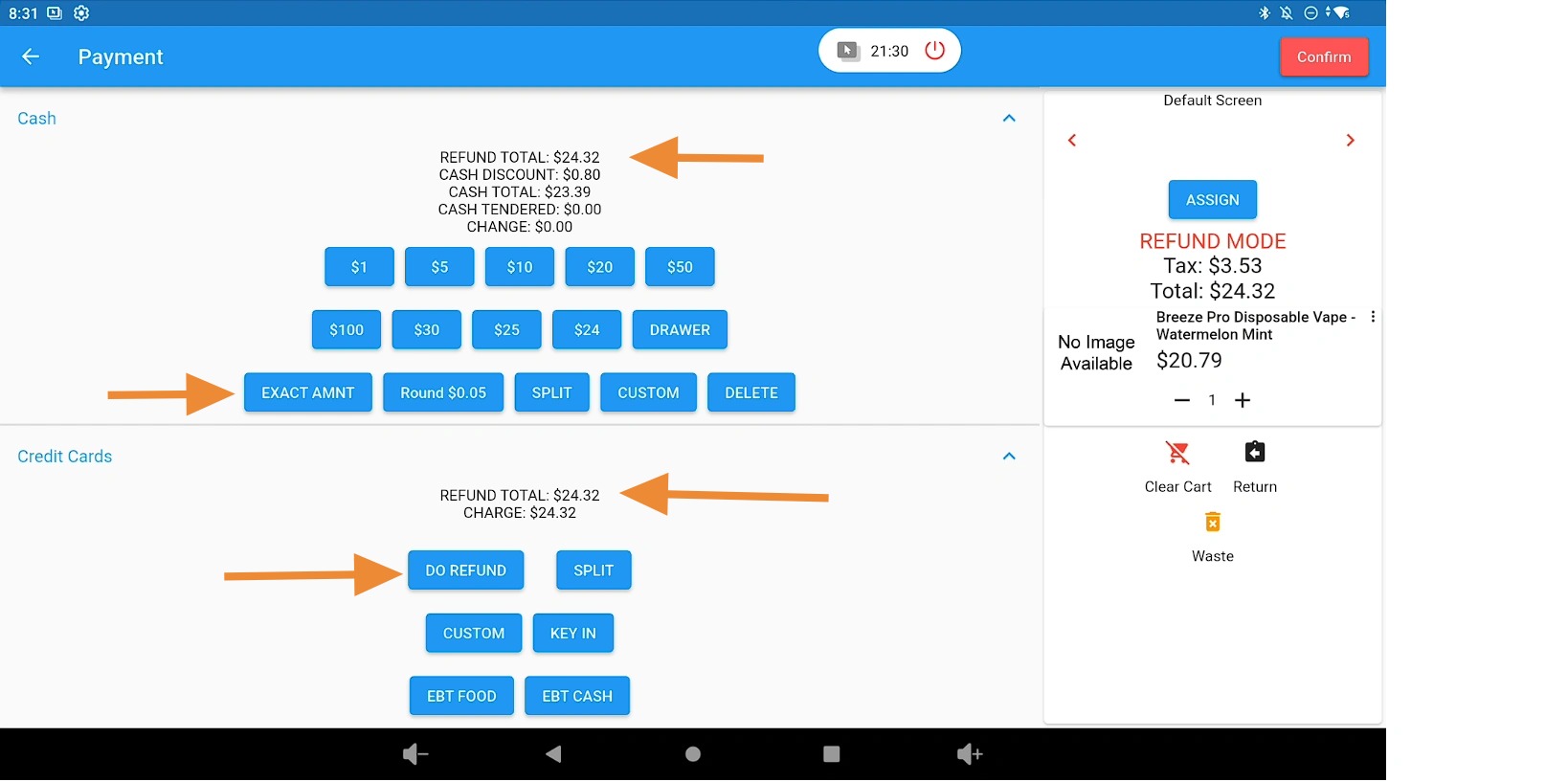
On the payment page, verify that it displays Refund Total.
- If refunding cash, click Exact Amount and return the correct change to the customer.
- If refunding to a credit card, click Do Refund and have the customer insert or tap their card.
Click the Confirm button in the top-right corner of the screen.
Provide the Refund Receipt #
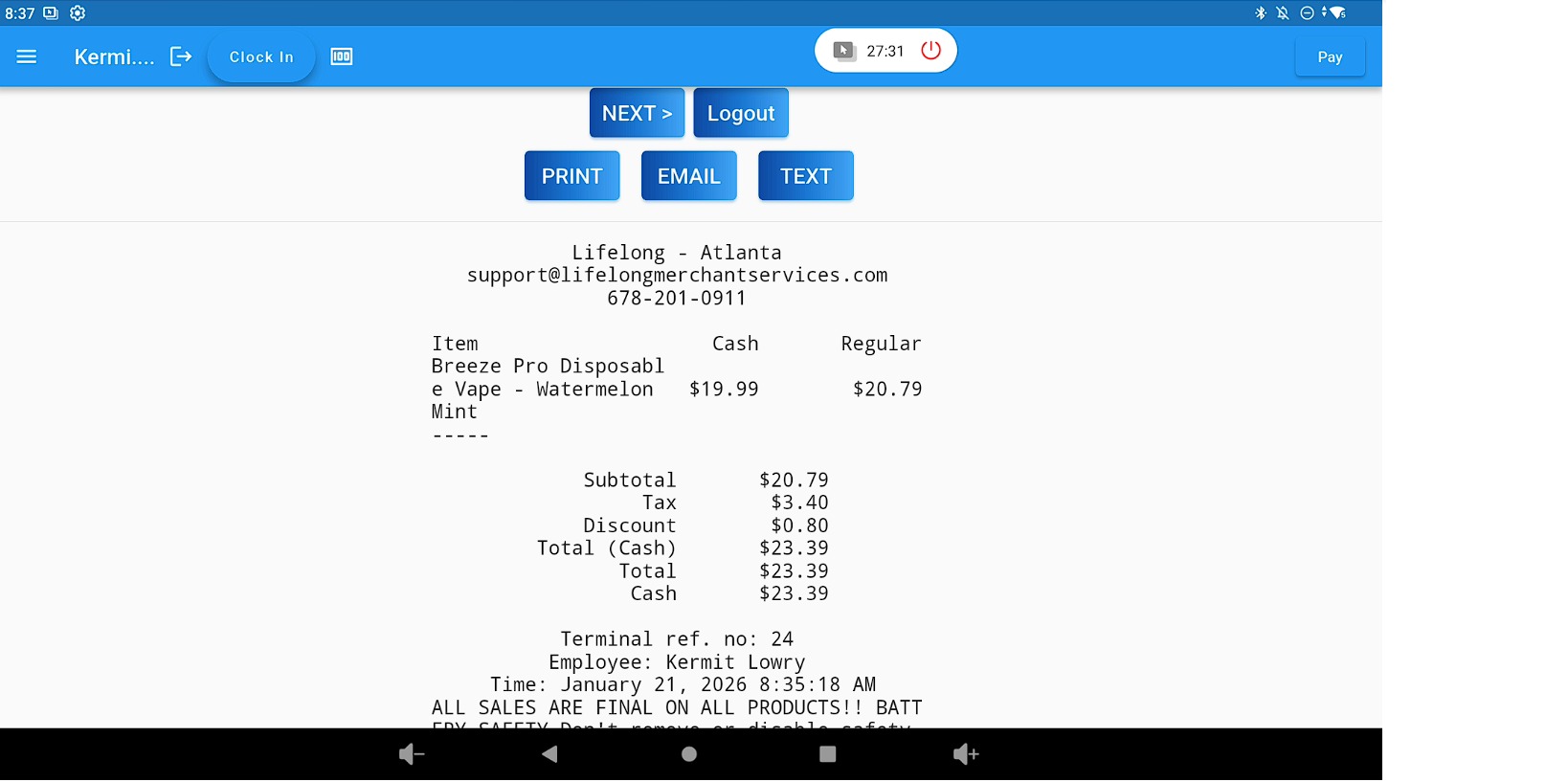
Print, email, or text the refund receipt to the customer.
Click the Next button to return to the home screen.
Related Guides #
How to void same day Cash & Card Transactions (Lifelong OS)
How to Refund Cash and Card Transactions After the Day of Purchase (Lifelong OS)


