Inventory: How To Search For Items / Products On Lifelong Admin #
Step 1: Log In #
Navigate to https://login.lifelongpos.com/ on any web browser.
Step 2: Access Items Tab #
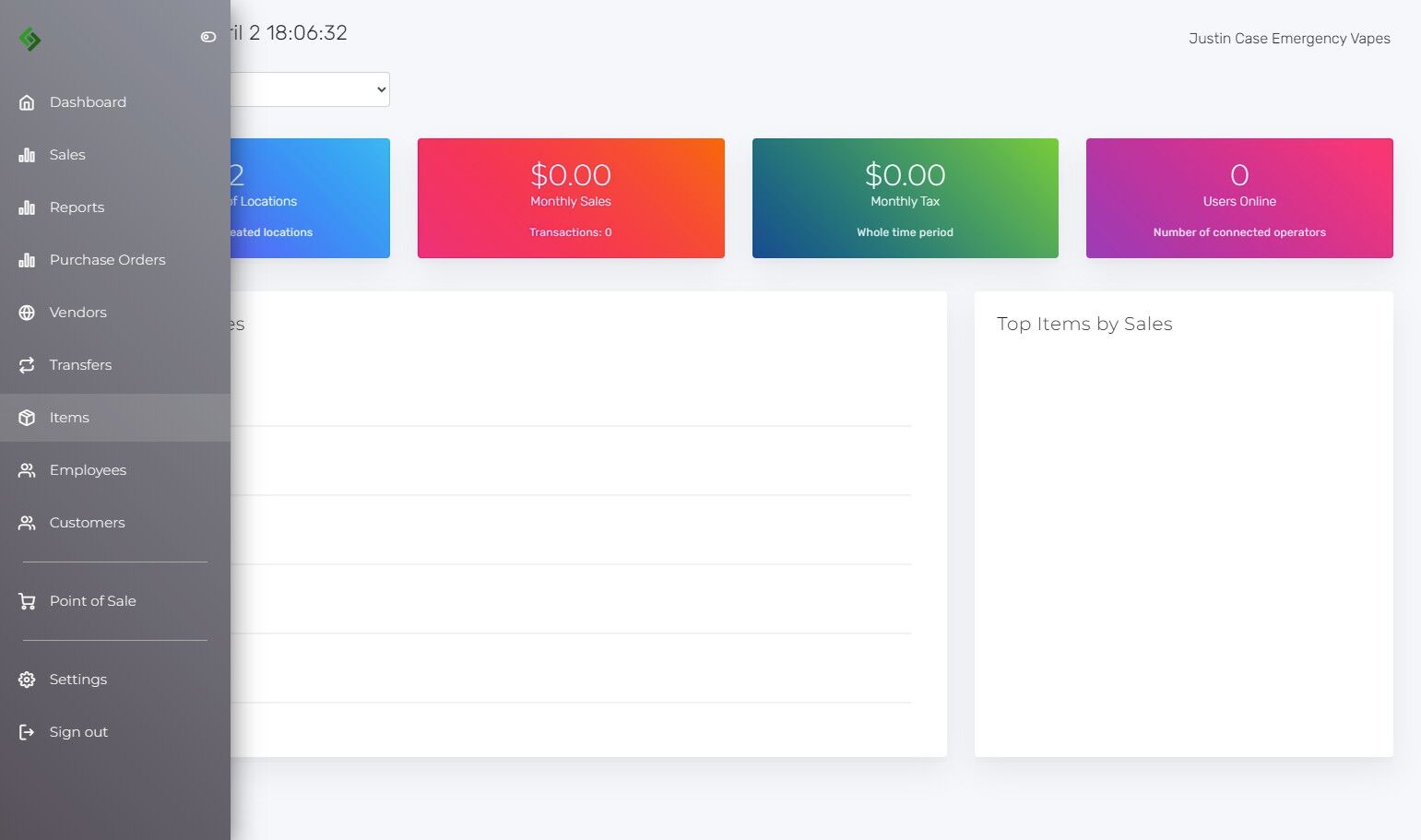
On the left-hand side of the page, click the Items tab.
Step 3: Use the Search Field #
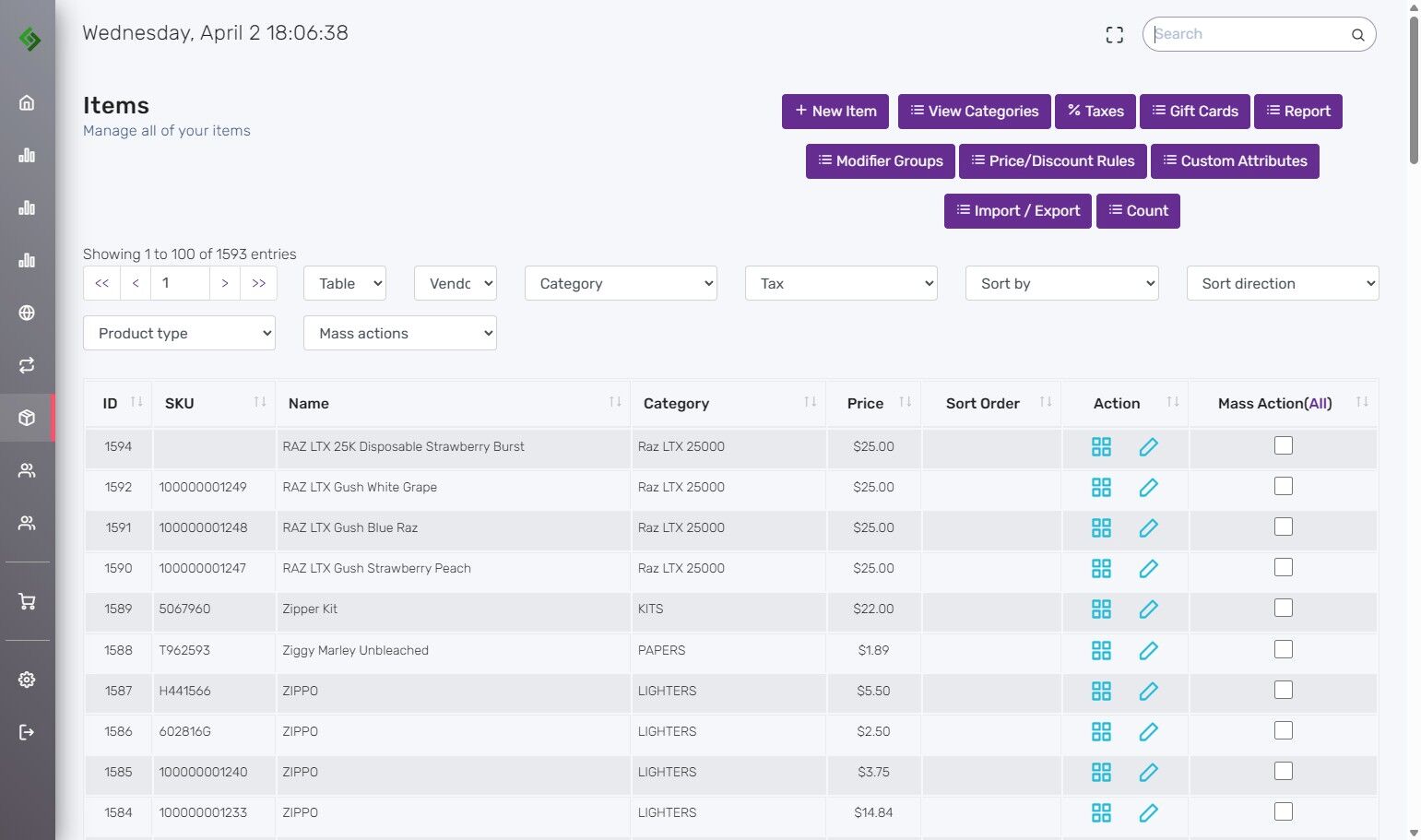
On the top right side of the page, click the Search field.
Step 4: Enter a Search Term #
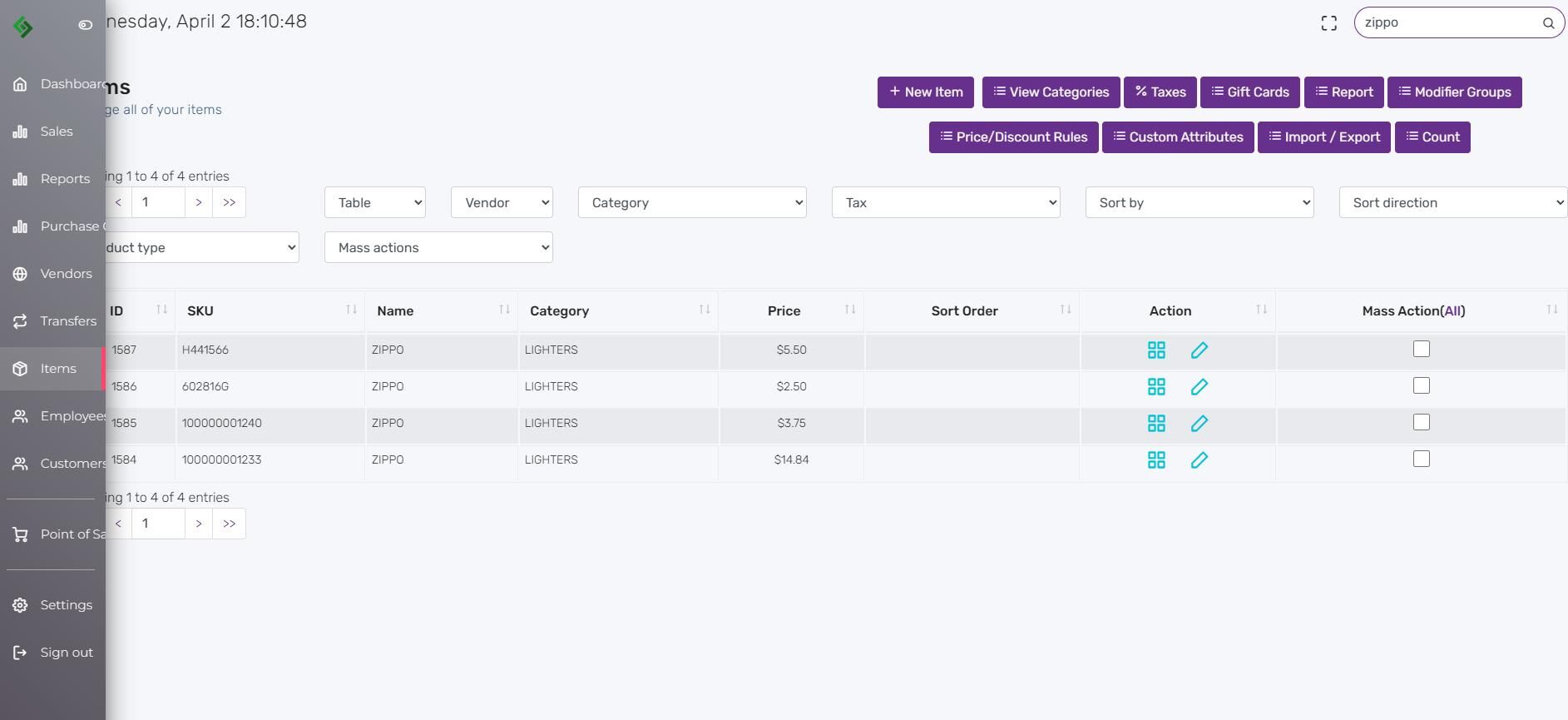
Type your search term, for example “zippo“, into the search bar. Press Enter or click the magnifying glass icon to view results.
Step 5: View Results #
Your item search results will now be displayed.