
How to: Upload a Logo on to the Front facing Screen E800/A3700/Landi #
1. Navigate tohttps://login.lifelongpos.com/
2. Click “Settings”

3. Click “Devices”

4. Find the device type labeled ‘frontscreen’. If you have multiple devices, repeat this step for each one.

5. Click “Params” next to the frontscreen device.

6. Click “Upload a Photo” under “Promo Pic 1”

7. After uploading the photo, click ‘View Pic’ to confirm that you selected the correct logo.

8. Click “Save”
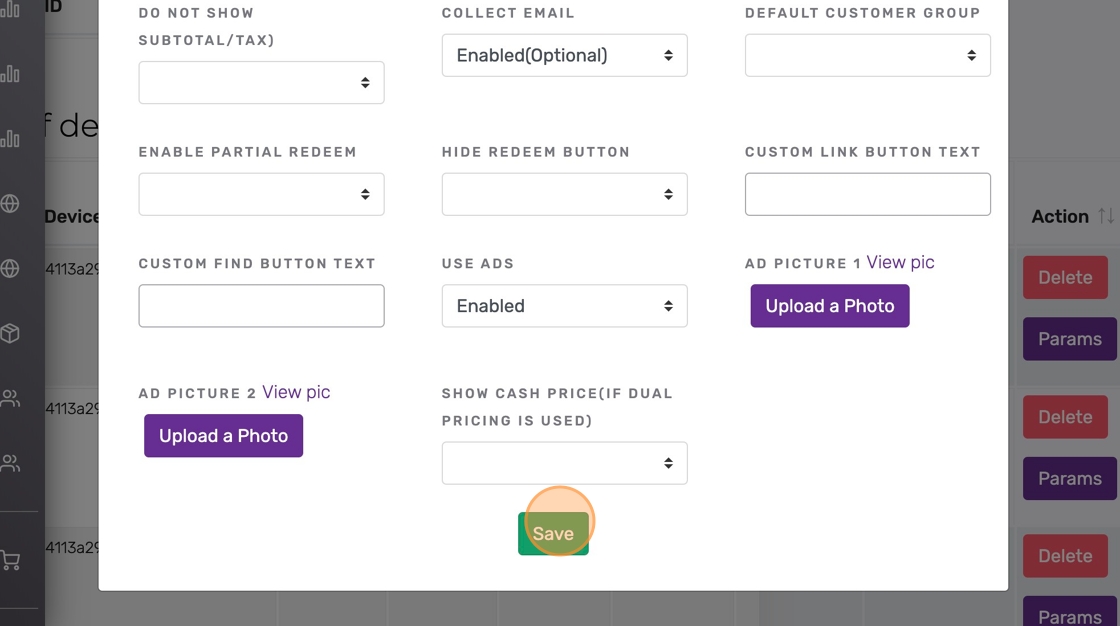
9. Repeat this process for all devices. Then scroll down and click ‘Save’ at the bottom of the main devices page.


